
Startup Application: Opportunity Overview
Use Opportunity Overview to describe your fundraising ask, key terms, and the narrative behind your business opportunity.
Where to find this
In the right-hand stepper, select 3 — Opportunity Overview.
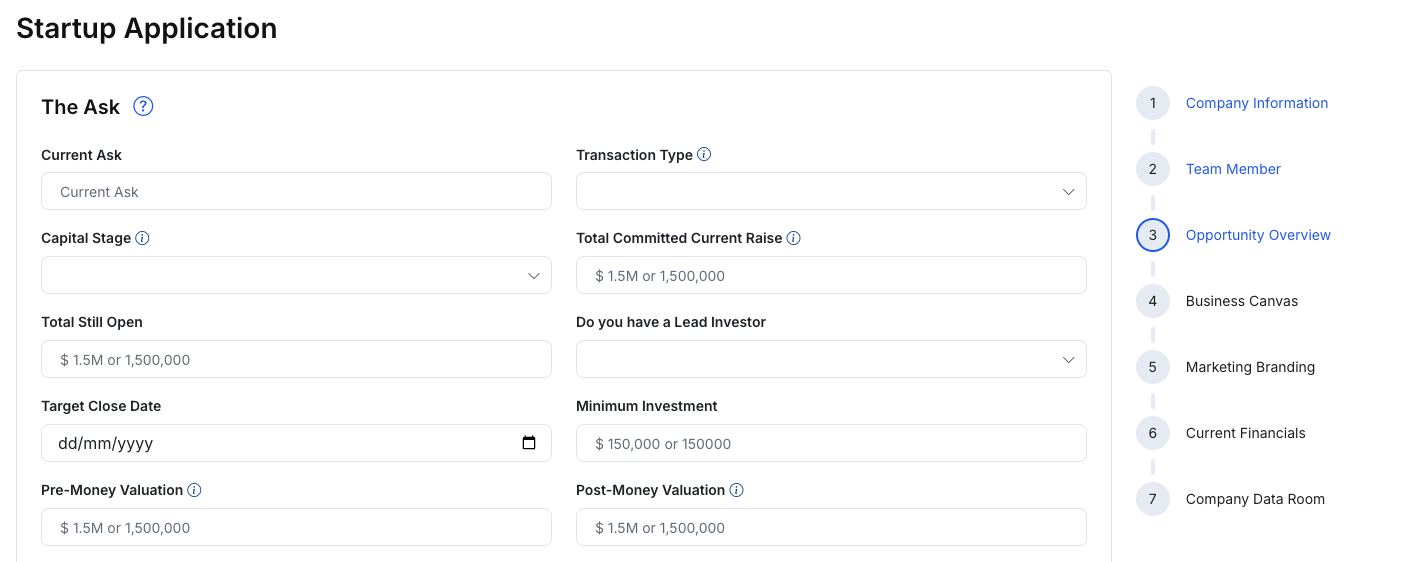
What you’ll complete
This step typically includes:
The Ask
- Fundraising details (e.g., current ask, transaction type, stage, target close date)
- Valuation fields (e.g., pre-money / post-money valuation), if applicable
- Note-related fields (e.g., note interest, discount, terms), where applicable
- Uploads for supporting materials (e.g., term sheet), if available
Narrative sections
- Company Product Description
- The Company Value Proposition
- The High Level Business Case
- The Business Vision & Mission
Pitch materials
- Pitchdeck / Video Pitch uploads or links (as provided in your form)
Steps
- Enter your fundraising ask and related terms.
- Add your product description and value proposition.
- Upload pitch materials (deck/video) if available.
- Click Save changes.
- Click Next: Business Canvas to continue.
Tips
- Keep the “Ask” aligned with your stage and traction.
- Use clear, investor-friendly language (what you do, who it’s for, why you win).