
Public Event Page
The Public Event Page is the attendee-facing landing page for an event. It is typically used for sharing event details externally (or broadly within your community), collecting registrations, and presenting the event agenda, lineup, and logistics in one place.
Content and sections may vary by event configuration and organization settings.
What attendees can do on the Public Event Page
Attendees typically use the page to:
- View event date/time and location
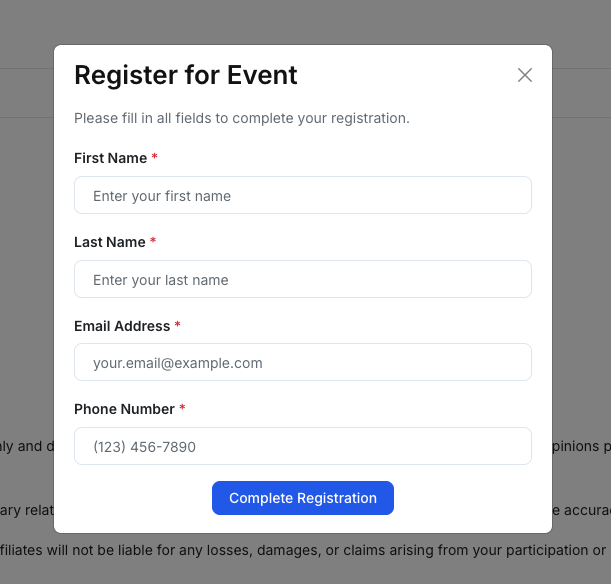
- Register via the primary call-to-action (e.g., Register Now)
- Read the event overview and agenda
- See the presenting startup lineup (when enabled)
- Check logistics such as map/location, and “Good to know” highlights
- View sponsors and any legal disclaimer (when configured)
Page sections (at a glance)
While the exact layout depends on your event settings, common sections include:
1) Header / Cover
- Banner/cover image
- Event title and organizer
- Date/time and location summary
- Primary registration CTA (e.g., Register Now)
2) Overview
A formatted content area for the event description and key context (who it’s for, what to expect, speakers, format).
3) Agenda
A timeline-style schedule with session titles and time blocks.
4) Presenting Startup Lineup (optional)
A list/table of startups participating in the event (commonly includes industry, stage, location, website, and current ask).
Attendees can scan participating companies without needing access to the investor workspace.
5) Good To Know (optional)
Short “highlights” such as:
- Age restriction
- Parking information
- Check-in/door time
6) Location (optional)
A map view and address details for in-person events.
For hybrid events, this may appear alongside meeting/registration links (depending on configuration).
7) Our Sponsors (optional)
Sponsor logos displayed in a grid layout.
8) Legal Disclaimer (optional)
A text block used to set expectations and provide legal language for the event.
Where the Public Event Page content comes from
Most attendee-facing content is configured in the event editor:
- Cover / title / summary → Event overview fields
- Agenda → Agenda section in the event editor
- Lineup → Startups selected/associated with the event (if enabled)
- Good to know / highlights → Highlights configuration (door time, age, parking)
- Sponsors → Sponsors section (logo uploads)
- Legal disclaimer → Legal Disclaimer section (text)
If you don’t see a section on the public page, it may not be enabled for your organization or the event may not have content in that section.
Recommended verification checklist (before sharing)
Before distributing the public link:
- Confirm date/time is correct (and timezone behavior is expected)
- Confirm location address and map pin (for in-person events)
- Confirm the registration CTA works as expected
- Confirm agenda items display correctly and in the right order
- Confirm lineup (if used) reflects the correct startups
- Confirm sponsor logos are present and readable
- Confirm legal disclaimer text (if enabled) is correct and current
Tips
- Keep the most important attendee links visible. If your workflow uses both Meeting URL and Registration URL, surface them clearly in the event overview or a dedicated section.
- Use consistent naming for agenda items (e.g., “Registration & Networking”, “Founder Pitches”, “Q&A”).