
Portfolio
Portfolio is where investors manage and monitor companies after they become part of the investor’s portfolio. It serves as the ongoing “operating hub” for post-investment tracking—bringing together key company details, investment/deal context, valuations, documents, updates, and internal notes in one place.
What Portfolio is used for
Use Portfolio to:
- Track portfolio companies across funds and investment types
- Monitor performance and progress using valuations, key metrics, and status labels
- Centralize documents in a structured data room with folders
- Collaborate internally with notes and updates
- Maintain a single source of truth for post-investment information over time
What you see (tabs, fields, actions) can vary by organization settings and role permissions.
Portfolio list (at a glance)
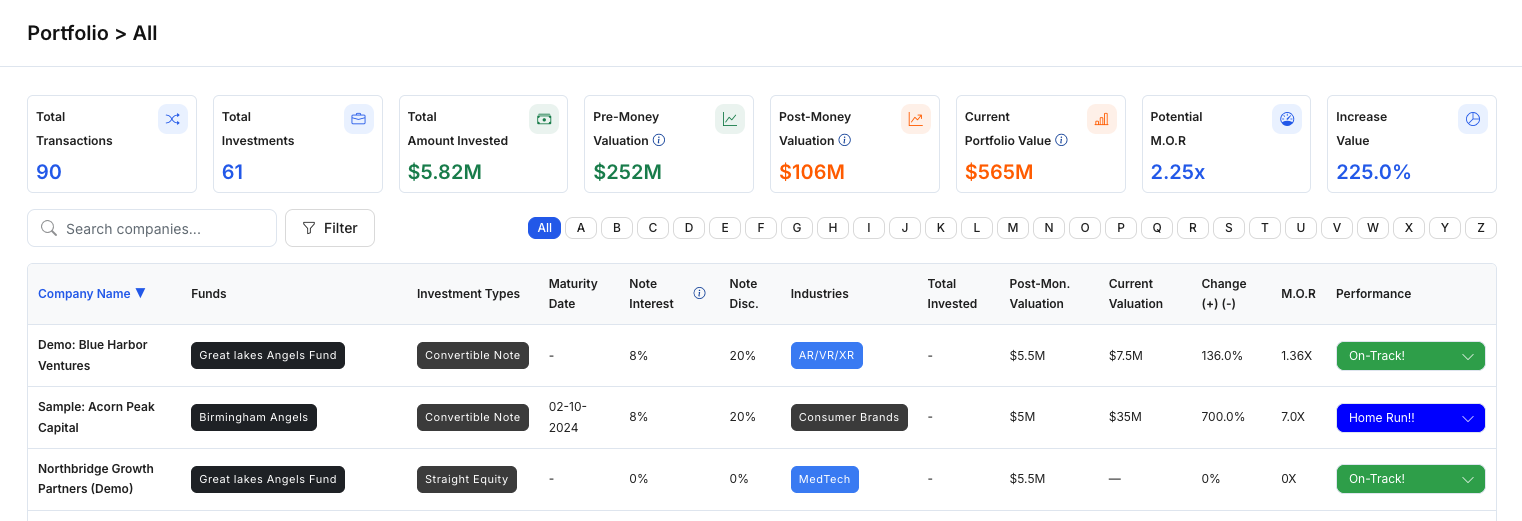
The list view provides a quick snapshot of portfolio companies and their current state. Common columns may include:
- Company Name
- Funds (one company may be associated with multiple funds)
- Investment Types / Structure (e.g., Convertible Note, other instruments)
- Maturity Date, Note Interest, Note Discount (when applicable)
- Industries
- Total Invested
- Post-Money Valuation / Current Valuation
- Change (+/-), M.O.R, Performance
- Status (often editable in-row, depending on permissions)
This view is typically used to sort, scan, and triage which companies need attention.
Portfolio details workspace
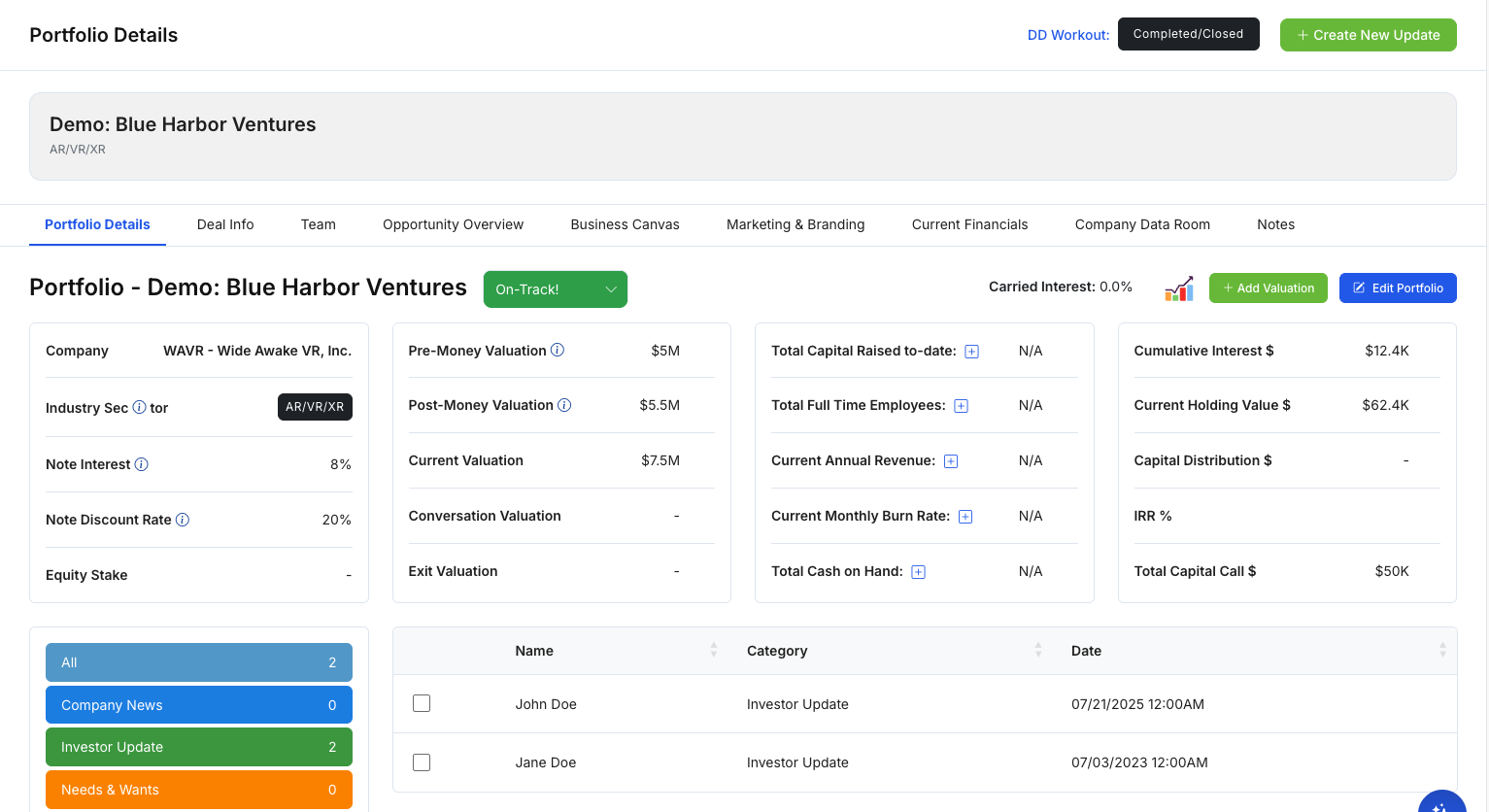
Selecting a company opens its Portfolio workspace, where information is organized into tabs.
Header actions (top area)
Depending on permissions, you may see actions such as:
- Create New Update (log a new update for the company)
- Add Valuation (record a valuation event)
- Edit Portfolio (update portfolio fields)
- A reference to the related DD Workout status (when applicable)
Portfolio Details tab (summary view)
This tab typically highlights core investment and operating metrics in a dashboard-like layout, such as:
- Pre-money / Post-money valuation
- Current valuation
- Total capital raised to date
- Employees, revenue, burn rate, cash on hand
- Holding value, cumulative interest, total capital calls, etc.
Use it as the “quick read” for the company’s current snapshot.
Common Portfolio tabs (high-level)
Tabs can vary by organization, but the following are commonly available:
- Deal Info
Key company + founder information and deal context (e.g., structure, stage, terms). Often includes round details and planned rounds. - Team
Internal view of contacts associated with the company (names, roles, emails, phone numbers, and links). - Opportunity Overview / Business Canvas / Marketing & Branding / Current Financials
Structured sections used to store ongoing narrative and operational details (strategy, positioning, assumptions, projections, cap table, debt, fund uses, etc.).
These sections may be blank until populated by your team. - Company Data Room
A folder-based document repository used to store and organize files (e.g., corporate files, tax/K1, investment docs, legal notices, pitch decks, and custom folders).
Teams typically use this to keep portfolio documentation consistent and easy to audit. - Notes
Internal notes for the investment team (quick context, decisions, follow-ups, red flags, etc.).
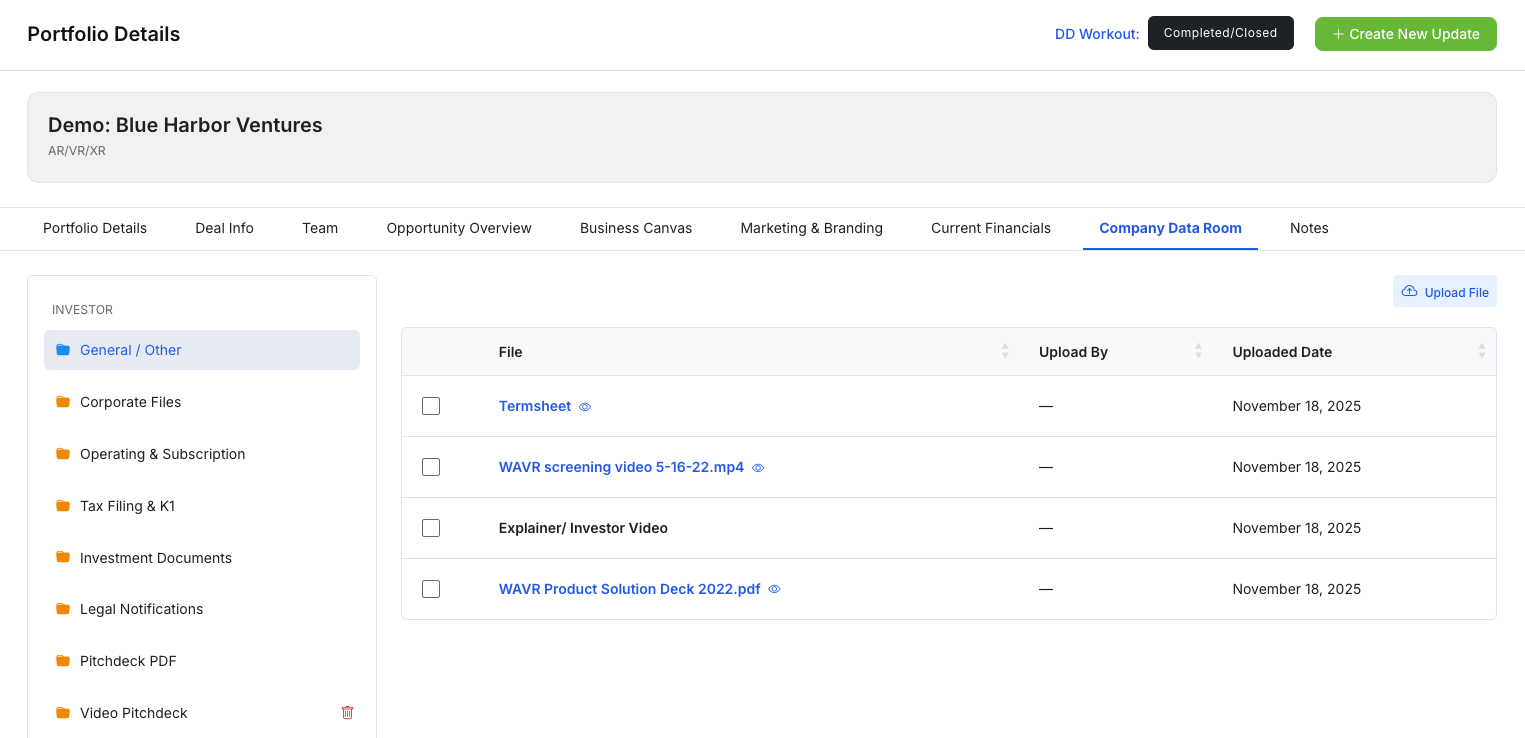
Figure 3 — Company Data Room (folders and documents)Suggested workflow (high level)
- Use the Portfolio list to scan performance/status and prioritize attention.
- Open a company’s Portfolio Details to review the current snapshot (valuations + key metrics).
- Log ongoing progress using Updates and store supporting files in the Data Room.
- Maintain deal context and company context using the relevant tabs (Deal Info, Financials, etc.).
- Keep internal alignment with Notes and consistent Status/Performance labels.
Notes
- Many fields may show as blank or “N/A” until populated.
- Status/performance labels (e.g., “Danger Zone”, “Emergency”, “On-Track”) are typically organization-defined and used for internal triage.