
Startup Application: Business Canvas
Use Business Canvas to capture your core business model, strategy, and competitive landscape in a structured format.
Where to find this
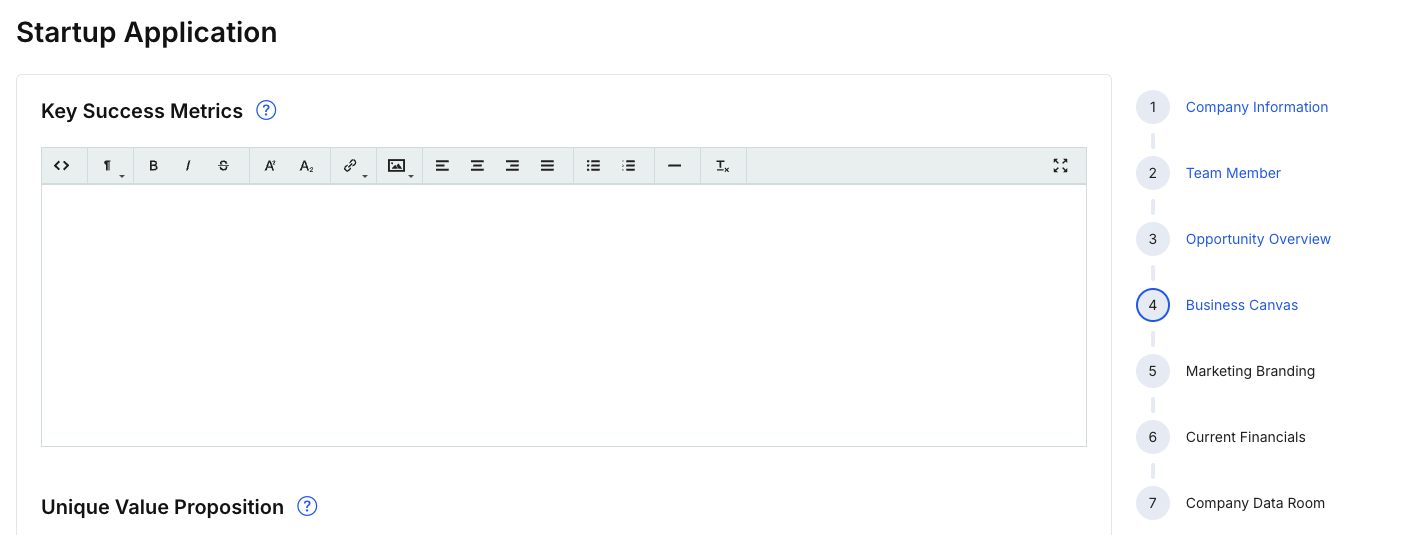
In the right-hand stepper, select 4 — Business Canvas.
What you’ll complete
This step commonly includes structured fields such as:
- Key Success Metrics
- Unique Value Proposition
- High Level Concept
- Unfair Competitive Advantage
- Sales & Distribution Channels
- Target Market Customer Segmentation
- Early Customer (Adopters) Strategy
- Business Model
- Pricing Model
- Core Revenue Streams
- 3–5 Year Goals
- End Goal / Exit Strategy & Timing
- Vision and mission fields (if surfaced here in your version)
- Competitors list (with an Add Competitors action)
Steps
- Fill out each canvas section with concise, specific statements.
- Add competitors using Add Competitors (if applicable).
- Click Save changes.
- Click Next: Marketing Branding to continue.
Tips
- Avoid buzzwords; focus on specifics (metrics, channels, segments, differentiation).
- Keep competitor entries factual (name + website + short description).