
Startup Application: Company Information
Use Company Information to create your startup’s basic company profile, business classification, and primary contact details.
Where to find this
From your Startup dashboard, click New Startup to open Startup Application.
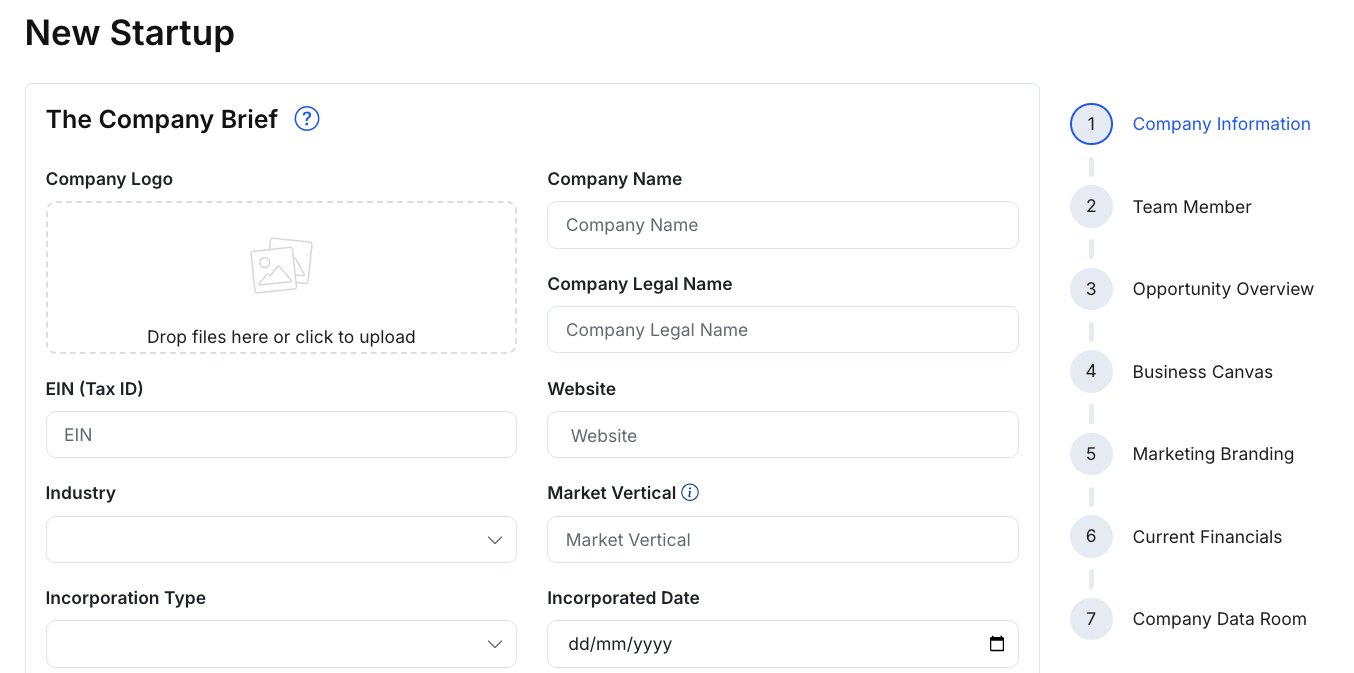
What you’ll complete
This section typically includes:
The Company Brief
- Company Logo (upload)
- Company Name and Company Legal Name
- EIN (Tax ID) (if applicable)
- Website
- Classification fields such as Industry, Market Vertical, Venture Type, Venture Stage, Revenue Model, Operating State, Development State, and related company attributes.
Main Office Address
- Street, City, State, Postal Code, Country
The Company / Founder Contact
- Founder contact details (name, title, email, phone numbers)
- Optional demographic or status fields (e.g., citizenship / residence / veteran / minority designation), if present in your application
Media Links
- Social links (e.g., LinkedIn, Facebook, X), where applicable
Steps
- Fill out your company information and address details.
- Add founder/contact details and media links as needed.
- Click Save changes to save your progress.
- Click Next: Team Member to continue.
Tips
- Start with the essentials (company name, website, industry, stage). You can refine details later.
- Upload a clear, high-resolution logo for best display in your profile.
Navigation options
- Save changes: Saves your progress in this step.
- Next: Moves to the next step.
- Cancel / Back to application (if shown): Exits or returns to the main application flow.