
Startup Application: Current Financials
Use Current Financials to provide a snapshot of your financial position, cap table, funding history, and projections.
Where to find this
In the right-hand stepper, select 6 — Current Financials.
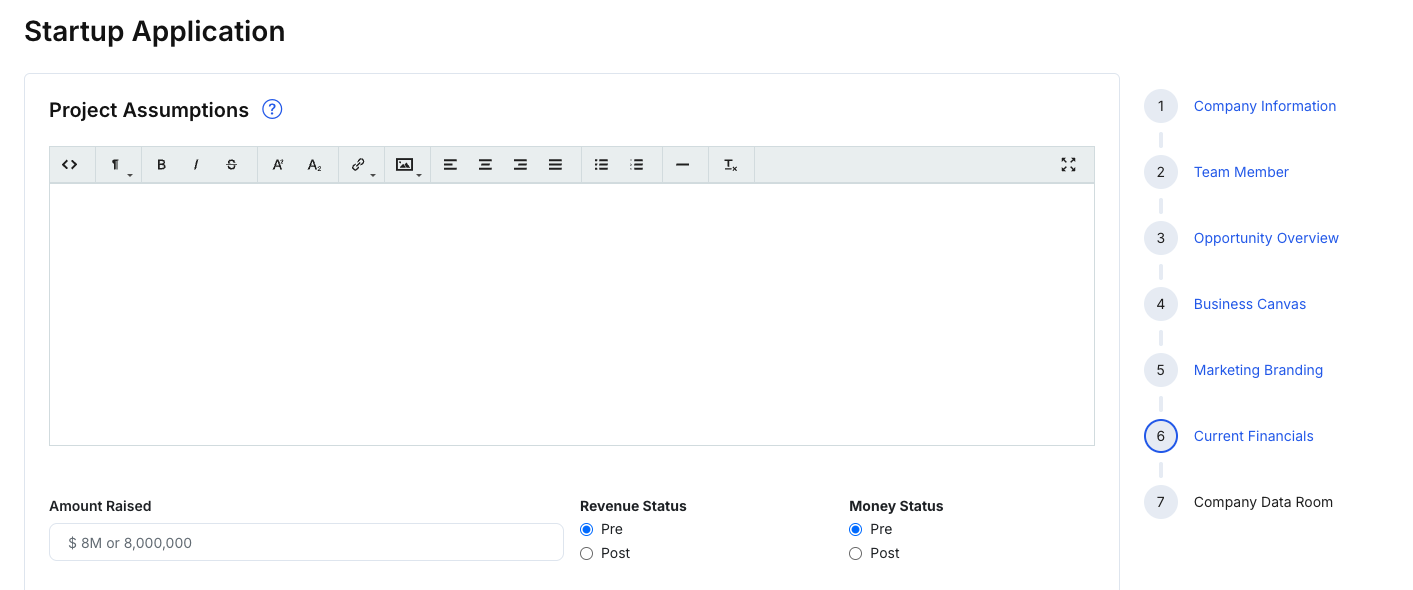
What you’ll complete
This step commonly includes:
Project assumptions
- A narrative field for key financial assumptions and context
High-level status
- Summary fields such as Amount Raised, Revenue Status, and other status indicators shown in your form
Cap Table
- Add entries using Add Cap Table Member
- Upload documents if supported (e.g., cap table document)
Company Current Debt / Raised Funding
- Add entries using Add Raised Fundings
- Upload supporting documents if supported
Fund Uses
- Add and edit use-of-funds rows (name, amount, notes)
- Upload supporting documents if supported
Financial Projections
- Add projections using Add Projections
- Upload a projection document if supported
Steps
- Add your financial assumptions and status fields.
- Complete the cap table and funding/debt information (add rows as needed).
- Fill out fund uses and projections (or upload supporting documents where available).
- Click Save changes.
- Click Next: Company Data Room to continue.
Tips
- If you’re early-stage, provide best estimates and keep assumptions consistent.
- Use uploads to support structured inputs when you have official documents.